
Guides
Separate an SEO review draft from live URL inspection
Use AI → SEO Lab → SEO Review to prepare proposed metadata or inspect an approved public page. Neither action automatically changes a website, publishes content or updates Google.
Access and purpose
Confirm the workspace, SEO Lab/Beta availability and your role. Owner/admin controls are required for enabled saves and inspections. Beta does not replace membership, AIO access or permission to inspect the target.
A draft describes intended changes. An inspection records what a public page returned. Opening a stored snapshot is not a new fetch.
Edit a review draft
- Open SEO Review and read the saved draft and status.
- Review the available search-presentation, structure and schema fields. Change the intended values and read validation feedback.
- Choose Save review draft when editing is enabled. Check saved-state feedback before leaving the page.
- Treat that saved draft as proposed work. It is not a website deployment, Google indexing update or ranking improvement.
Inspect the actual page
- In Inspect URL, enter an approved public HTTPS target without credentials.
- Choose Inspect only when the network request is authorized and the control is enabled.
- Read the returned HTTP status, exact target, capture time, extracted fields and findings. A non-HTML response, unsafe target, redirect limit or unavailable source is not a successful inspection.
- Compare the captured page with the proposed draft. Keep its URL and snapshot with your conclusion. A local URL-shape check alone is not a complete audit.
Keep inspection and AI billing separate
This inspection uses deterministic HTTP/DOM extraction; it is not an AI model run. Do not apply Content Lab's subtask fee or model markup merely because an SEO control fetched a page.
Site Performance's daily pool and Search Console's request guards do not define this inspection's quota or fee. Confirm its applicable service policy and displayed restrictions before new work. This guide does not establish a new charge or tenant quota.
Search Console provides separate Google search/index evidence. Extracting page fields does not establish traffic, successful Google inspection or the provider's view of the URL.
Recover and verify
Correct invalid public targets rather than using private/local addresses or secret-bearing URLs. Keep the saved draft and prior useful snapshot while resolving an unavailable source. If an outcome is uncertain, inspect existing state before retrying.
Do not publish a SITE page, alter a redirect or perform a provider action simply to demonstrate this workflow. After an authorized save, verify the saved draft; after an inspection, verify the returned snapshot. These are different outcomes.
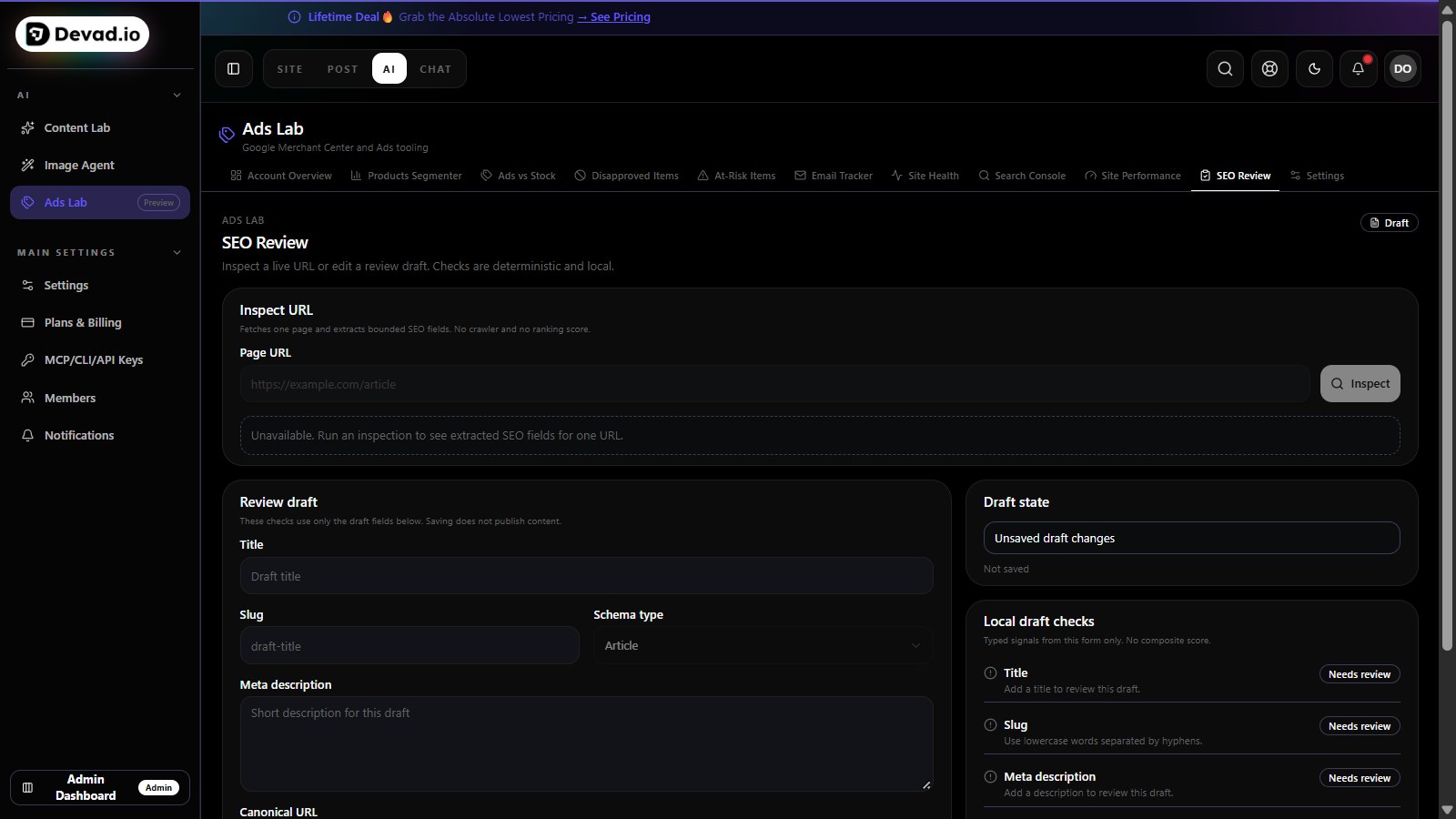
Historical controls, 4 November 2026, Devad Docs QA: Inspect URL and review fields in a read-only view. No save action is visible, and this figure is not evidence of a current successful inspection or saved draft.