
Guides
Read lab and field performance for the exact URL
Use AI → SEO Lab → Site Performance to measure an approved public HTTPS page. Read lab and real-user field evidence separately; one URL/device result is not a whole-site measurement.
Access and preparation
Confirm the workspace, SEO Lab availability and your role. Selected-customer Beta access does not replace membership, AIO access or provider consent. An owner or admin with enabled controls can save settings and request analysis; read-only access does not grant those actions.
Choose the intended public URL and device. A saved target, example score or visible button is not a completed measurement.
Save and analyze
- Open Site Performance. Review Target URL and Device, choosing Mobile or Desktop.
- Enter the public HTTPS address without credentials, then choose Save target. Check the saved confirmation.
- Read the remaining allowance and reset time. Choose Run analysis only when authorized and enabled.
- Read the returned URL, device, measurement time and status. Check lab and field results independently.
- If CrUX has no qualifying field data, leave it unavailable. A PageSpeed lab score cannot replace missing real-user observations; unavailable is not zero.
Included daily allowance
The current allowance is 20 analyses per owning tenant per UTC day, shared across that owner's workspaces, with no wallet fee. One admitted analysis covers PageSpeed and CrUX; it is not a separate pool for each provider, device or workspace.
A dispatched attempt consumes one slot even when a provider fails. Reusing an eligible saved result does not dispatch another analysis or consume another slot. Saving a target alone does not run analysis.
The first admitted attempt fixes that tenant's allowance version for the UTC day. A later published default does not rewrite that day's admitted allowance. Read the actual remaining counter and 00:00 UTC reset. Reaching the limit does not automatically purchase wallet-funded runs.
Interpret and recover
| Result | What to do |
|---|---|
| Lab result available | Read its target, device and timestamp. It is a lab observation, not a guarantee of user performance. |
| Field data unavailable | Check the selected scope. Do not invent or copy a CrUX score. |
| Saved result reused | Check freshness and whether the same target/device answers your question. It is not a newly executed analysis. |
| Daily limit reached | Wait for the displayed reset or ask the owner about the allowance. Do not evade the shared pool with another workspace. |
| Invalid target | Correct the public HTTPS URL; do not use private/local addresses or credentials in it. |
| Configuration/provider error | Preserve the last useful report and ask support to check setup. Avoid repeatedly dispatching failures. |
A measurement does not modify your website, guarantee a ranking improvement or prove that every provider returned data.
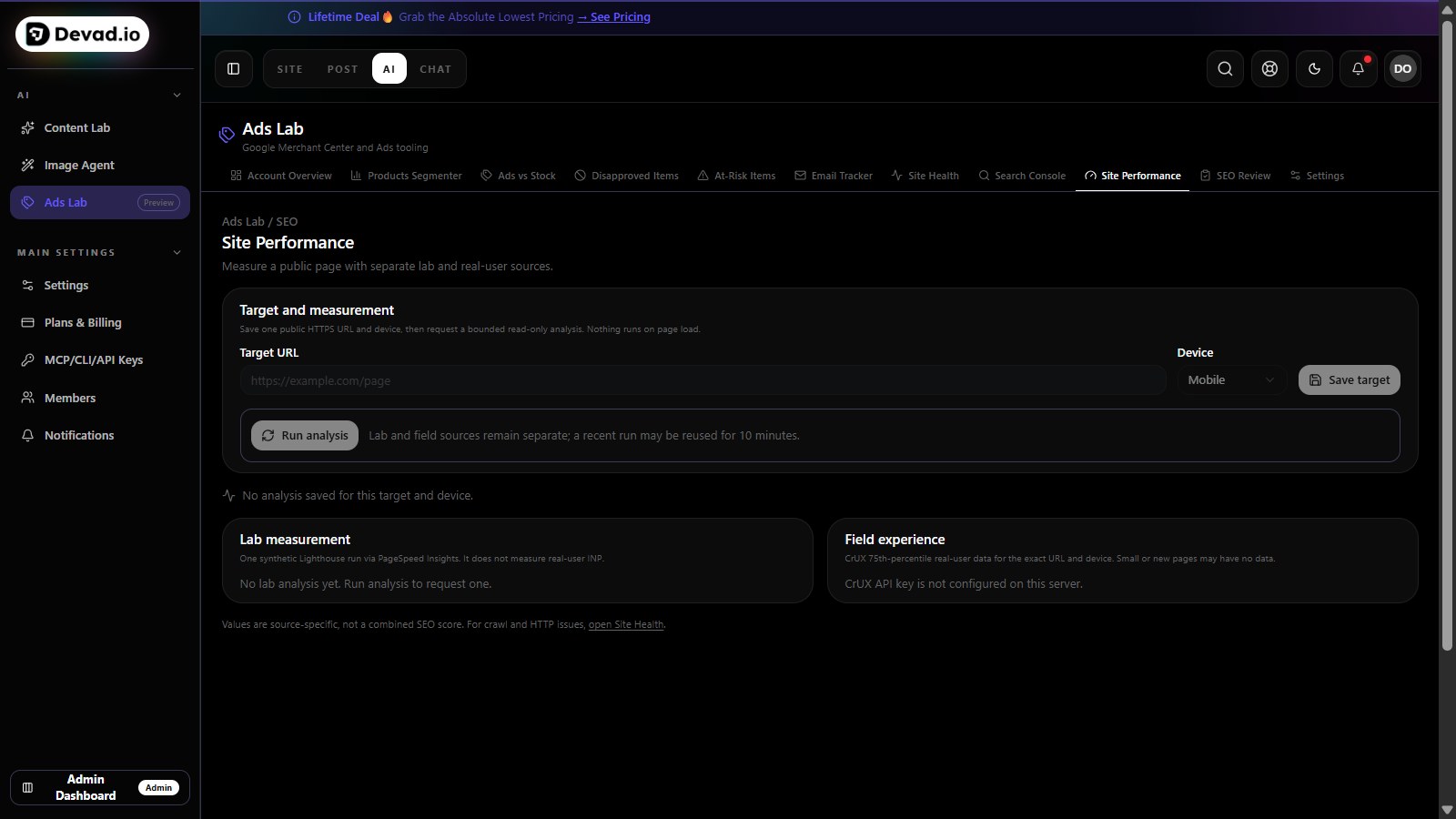
Historical controls, 4 November 2026, Devad Docs QA: Target URL, Device, Save target, Run analysis and separate lab/field areas. Actions are disabled in this read-only example; it is not current success proof. Use the current SEO Lab navigation above.